
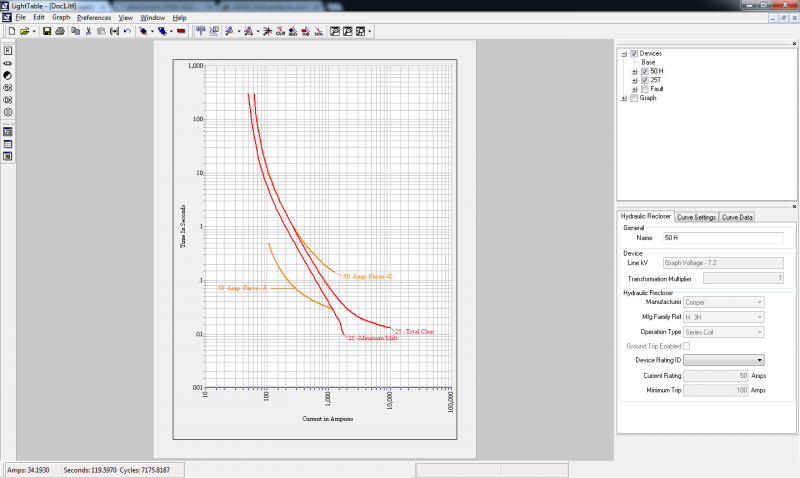
LightTable® enables accurate protective device coordination with a comprehensive library of manufacturers’ time-current device curves and the tools to superimpose, manipulate and analyze them. In addition, LightTable allows selection of the devices on the circuit being coordinated in WindMil and will load the devices’ curves with the press of a button. Even more exciting is the DDU (Device Data Update), which allows the automation of the fuse and recloser coordination of the entire circuit. Say goodbye to days and weeks of coordination studies. Let WindMil and LightTable remove the repetition and allow you to perform your study in less time.
Analysis Functions
- Automatically locates intersection points among multiple curves
- Automates fuse and recloser coordination according to user-defined rules
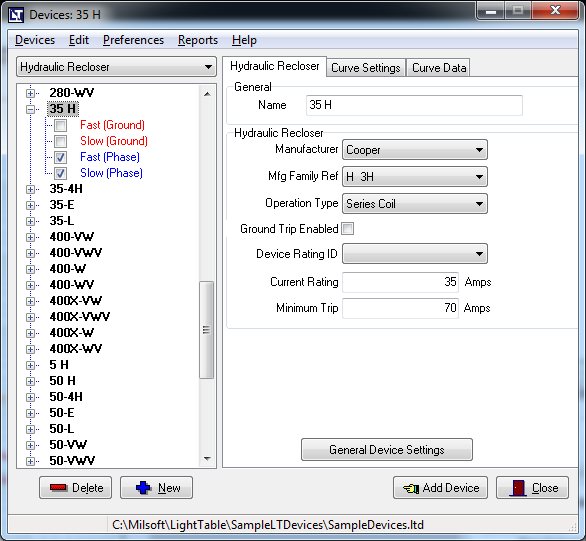
- Single-point data entry for overcurrent devices
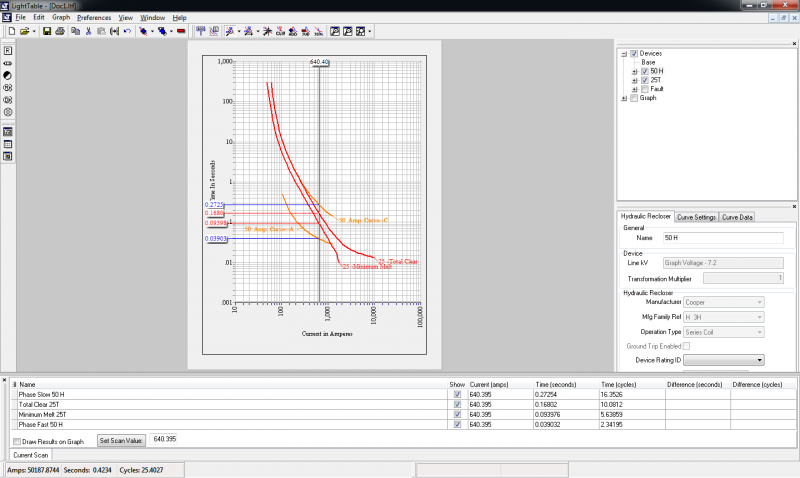
- Provides users with the time values at a given fault value
- Provides users with differences in time values at a given fault value
- Allows curve removal beginning or ending at a specified amp value
- Shifts curves using time and amp adders and multipliers
- User-defined marks at specified fault values
- Adds points on selected curves
- Subtracts one curve from another
- Saves modified in group files
Features
*Partial list
- Display curves on the screen
- Shift curves
- Automatically re-scale grids
- Zoom and pan curves
- Find curve intersections
- User-defined labels and formats for each device type
- Powerful device editors
Screenshots
Hardware Requirements
Required specifications for client machines are the minimum requirements for our applications to run efficiently. The following link includes requirements for most of Milsoft’s products. If you do not find what your looking for, please contact Milsoft Support.